
This is an old revision of the document!
Table of Contents
Software for C64
See also Random small project programs
Games
You have the starter kit with the 'Very Second' included with the C64U and the built-in online CommoServe service. - CommoServe contains mostly classic games, but also new and fairly new games.
- Protovision - Publisher of new C64 games and some hardware.
- CSDB - A site dedicated to gathering as much information as possible about the productions, the groups, the sceners, the events, and bbs's in the Commodore 64 scene.
- C64 software on Archive.org - Freely downloadable software, assumed to be in the public domain.
- C64 Software at MyAbandonware - Large collection of C64 software.
- C64.com - Large collection of C64 games, demos and scene interviews.
- itch.io - New C64 games. Some free, some paid for (to support the creators!)
- Oneload64 - 1000's of C64 games converted to cartridge format for instant loading:
- Commodore 64 Boxed Sets - This site digitally collects the material in the original box set of games. You receive the artwork and the sometimes extensive manual that were originally included with the sale.
- Not for downloading games
More game websites https://www.lemon64.com/links/genre/games-archives
GRAPHICAL INTERFACE
- C64OS
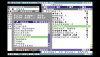 - C64OS is a versatile operating system for the Commodore 64 that provides a set of sophisticated tools in a powerful and unified user interface.

- GUI64
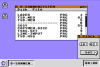 - A Windows/Mac looking GUI, utilizes Ultimate functions when used in an Ultimate device.

- GEOS
 – is included in the ‘USB cassette’ and see also the ‘files’ section of the FB-group The Commodore 64 Ultimate Owners Group

- GDOS64
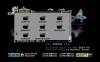 - A free GEOS-compatible operating system for the Commodore 64. Supports more hardware out of the box, like CMD devices, SD2IEC, 4 drives, and don't forget the facelift that the GUI has had!

GUI64
GUI64 is a new graphical user interface for the Commodore 64 and will be included as part of the software bundle for the brand new Commodore 64 Ultimate (C64U). It is provided as a cartridge image (*.crt). Find it in the C64U's menu on the cassette USB drive, select the file, press RETURN, and choose “Copy to flash.” Once installed, the GUI64 desktop will automatically appear every time you power on or reset your machine.
GUI64 allows you to manage disks and their contents with ease—formatting, renaming, cutting, copying, pasting, and more. Most importantly, it lets you launch your favorite games with a simple double-click. As an added bonus, the loading progress is displayed on screen.
Users who own an SD2IEC device are in luck, as GUI64 fully supports these as well. You can browse folders, create subfolders, and generate new disk images (D64, D71, and D81) just as you would on a modern PC.
The version included with the C64U features a Windows-style interface. On GitHub, you can also find a Mac-style version inspired by the look and feel of the original 1984 Macintosh.
The latest versions of GUI64 (disk and cartridge images) are freely available on GitHub
- Project
GEOS
GEOS RAM Boot 64
GEOS RAM Boot 64 is a small program to start GEOS from a preloaded REU
Other
Assembly 64
The all-in-one tool for everything ever released for the Commodore 64. This software gives access to a massive, actively maintained online library of C64 and C128 software. Additionally, it includes management options for your Ultimate device(s), and downloaded software and music can be directly sent to and run/played on your Ultimate device.
Fastloaders – speeds up operations
JiffyDOS
JiffyDOS is a Disk Operating System (DOS) enhancement that gives your C64 or C128 the disk access speed you have always wanted. It works by adding its own custom Kernal in both the C64 or 128, and in the floppy drive(s). In Ultimate devices, you only need to replace the Kernal ROM image, and the ROM(s) for 1541, 1571, and/or 1581, depending on the pack that you've purchased.
DolphinDOS2
DolphinDOS 2 is a kernal ROM replacement for the C64 and 1541 disk drive to speed up disk operations.
If you are interested in using the C64U w/ JUST 1541 emulation, you should look into it. D64 load speeds are insane!
- Download the ROM replacements from Github (click on the right side on 'releases', download the .zip file)
- Rename kernel.rom and 1541.rom to something different like kernel-dd2.rom and 1541-dd2.rom
- ⇒ copy to flash
- Go into the Memory & ROMs to choose the kernel-dd2.rom kernel for the C64 and 1541-dd2.rom for the 1541
- Go into the 1541 drive settings and enable extra memory
- Head into the “secret” advanced C64U menu (shift+F1)
- ⇒ choose Machine Tweaks
- ⇒ Enable the Parallel connection setting
Reboot and you're ready to go.
Want to go back to normal? Just do the reverse of steps 2-5.
Pro tip: Use a Configuration file to easy switch between modes.
- Website
- Project