
This is an old revision of the document!
Table of Contents
Software to be added to the wiki:
This page is a work in progress, and the contents are NOT yet ready to go live. Once ready, these contents will be moved away from this page to the appropriate location(s) on this wiki
C64 NATIVE
Software that is specifically made to run on an Ultimate Device. Meaning a 1541Ultimate, Ultimate II+, Ultimate Elite, or a Commodore64 Ultimate.
Operating Systems
- ReadyOS - What if a Commodore 64 could feel ready, not just nostalgic? ReadyOS treats waiting as the enemy. It is a keyboard-first, full-screen terminal-style environment built around instant app switching, suspend/resume, shared clipboard and history, and deeper links between apps.
- Command64 OS - MS-DOS style operating system for the C64 with a REU size of 1MB minimum
GEOS64/GDOS64
- geoIRC - IRC client for GEOS/GDOS64. Connect to any IRC channel available on the internet. Only works via Ethernet!
- GeoUTools - Tools for use with Ultimate devices without having to leave the GUI, or even having to open the Ultimate menu! Also works in 80-column mode in GEOS128 with Ultimate cartridge.
MUSIC
- SID-Wizard 1.97 - SID tracker for Commodore 64/128 as well as for Windows, MacOS, and Linux. Create music for up to 4 SID chips (real, or virtual). Includes a large instrument library, example tracks, MIDI, and a piano roll view.
GAMES
DEMOS
- The Tuneful Eight (included on The Very Second)
FIRMWARE
Official firmware
- Official firmware by Commodore - If you have just recently received your C64U, you may want to update your firmware from 3.14 to 1.1.0 to improve the functionality of your Commodore 64 Ultimate. Note that Commodore decided to change the version numbers of their firmware to emphasize the difference between the firmware for Gideon's line of Ultimate devices and the Commodore-branded ones. Firmware versions for the C64U are, in order of newness, 3.14, and 1.1.0, where 1.1.0 is the most recent one. Note that firmware 1.0 was really just a renumbered firmware 3.14.
Unofficial firmware
- Spiffy Patch - Adds several QOL features and fixes a bug or two on top of the most recent official Commodore firmware. Offers a temporary “soft patch” option that is reverted after a restart of the computer. Can also be flashed permanently for those that wish to do so.
- Replaced Commoserve with Assembly64 for a larger software collection.
- Additional hotkeys for reset, reboot, power cycle, power off, joystick swap, set/go to home, and show dev log.
- Custom branding of the Ultimate menu
- PRKL patch - Mainly the Spiffy Patch with very good USB Mouse and keyboard support added in, plus a few under-the-hood fixes. Adds scroll wheel support for USB mice. Great for use with GDOS64 and MicroMysX0 mouse driver!
Flashing your Ultimate device with unofficial firmware technically has the potential to render your device unusable. Use at your own risk.
OTHER OS
Software that is specifically made to run on a computer other than the C64 or C128. The software below is designed for use WITH but not ON an Ultimate device.
Remote Control
Remote control applications that enable viewing, playing, copying, and otherwise interacting with a system from another computer.
C64 Ultimate Viewer for Linux
under active development
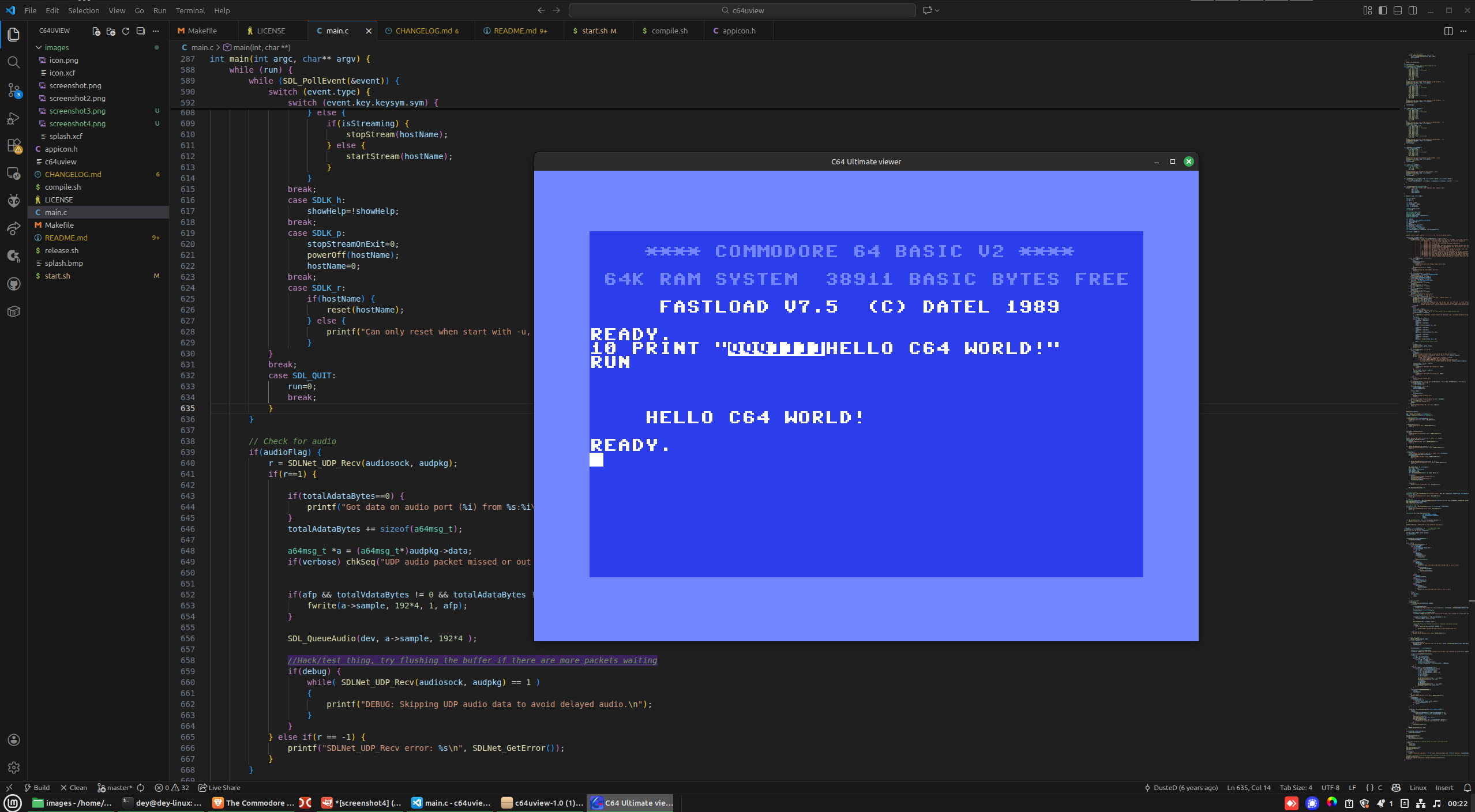 A simple video & audio stream viewer designed for the new C64 Ultimate owners running Linux systems. Watch your C64 screen output on your computer with real-time streaming.
- Project page
Ultimate64 Manager
under active development
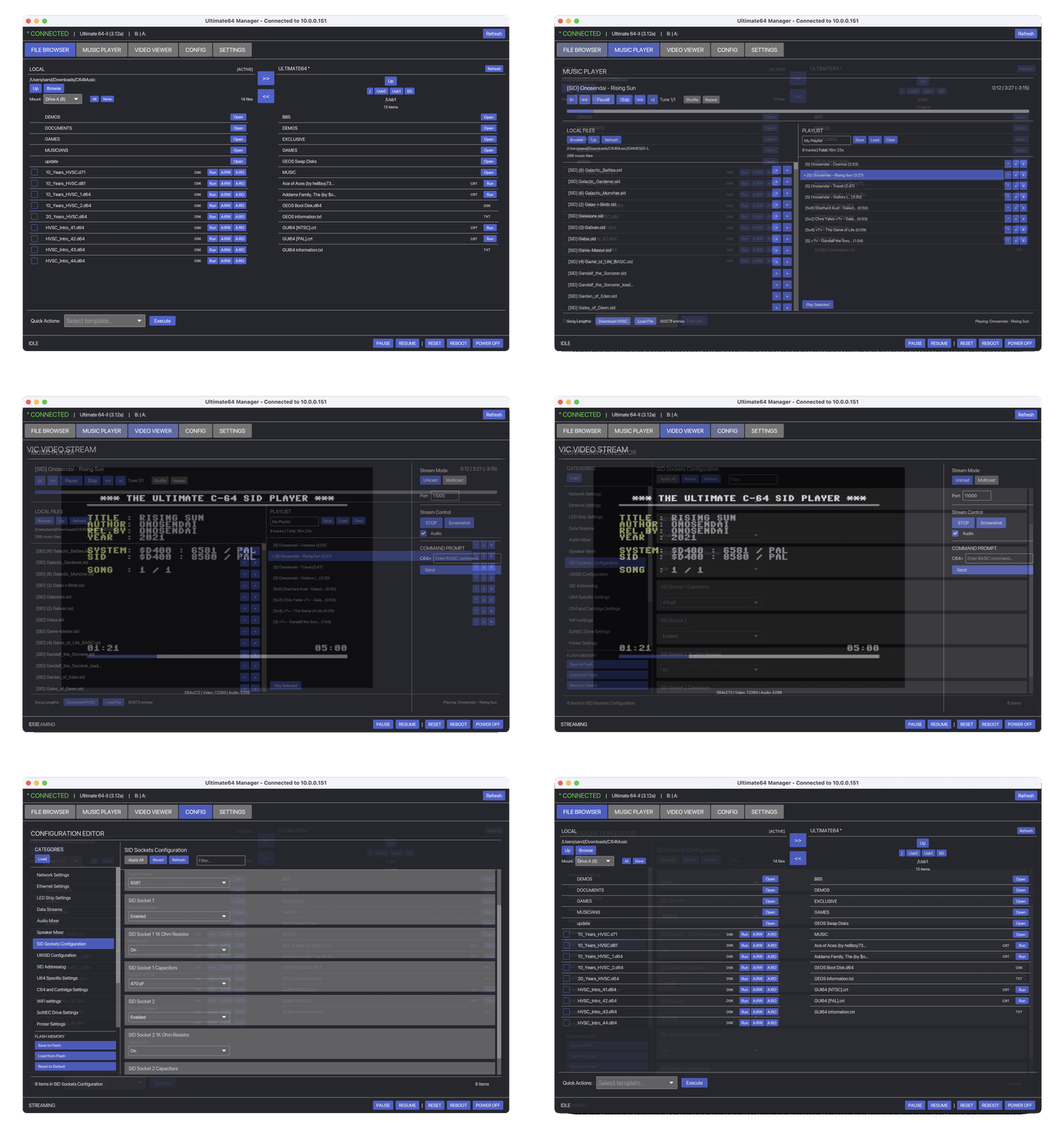 A cross-platform desktop application for managing Commodore 64 Ultimate, Ultimate 64 Elite, and Ultimate-II+ devices. Browse files, stream content, play SID music, mount disk images, and configure device settings. Also, 'Memory Editor', you can now peek and poke C64 memory directly from your desktop.
- Windows / Linux / Mac
- Amiga OS
- iPhone
U64 Remote
under active development
Remotely send and run a .PRG file on a Commodore 64 Ultimate (or any 1541u). Mostly that development with CBM prg studio is easier with the Commodore 64 Ultimate, and you don't need to copy files every time.
- Project page
U64 Remote cpp
under active development
Remotely send and run a .PRG file on a Commodore 64 Ultimate.
A Linux C++ command-line client for interacting with the Commodore 64 Ultimate over its REST API.
This project is a C++ port of the original Go reference implementation and allows remote control and inspection of a C64 Ultimate from a modern Linux system.
- Project page
Commodore C64 Ultimate CLI
A MacOS/Linux/Windows command-line interface for controlling the Commodore C64 Ultimate via its REST API.
- Project page
MCP server for the Ultimate 64 series
A Model Context Protocol (MCP) server for the Commodore 64 Ultimate — the official modern Commodore 64 computer. This server enables AI assistants like Claude, ChatGPT, and Cursor to control your C64 via the Ultimate's REST API.
-
- ! Version 0.1 Alpha !
Music
- Ultimate 64 Web Music Player
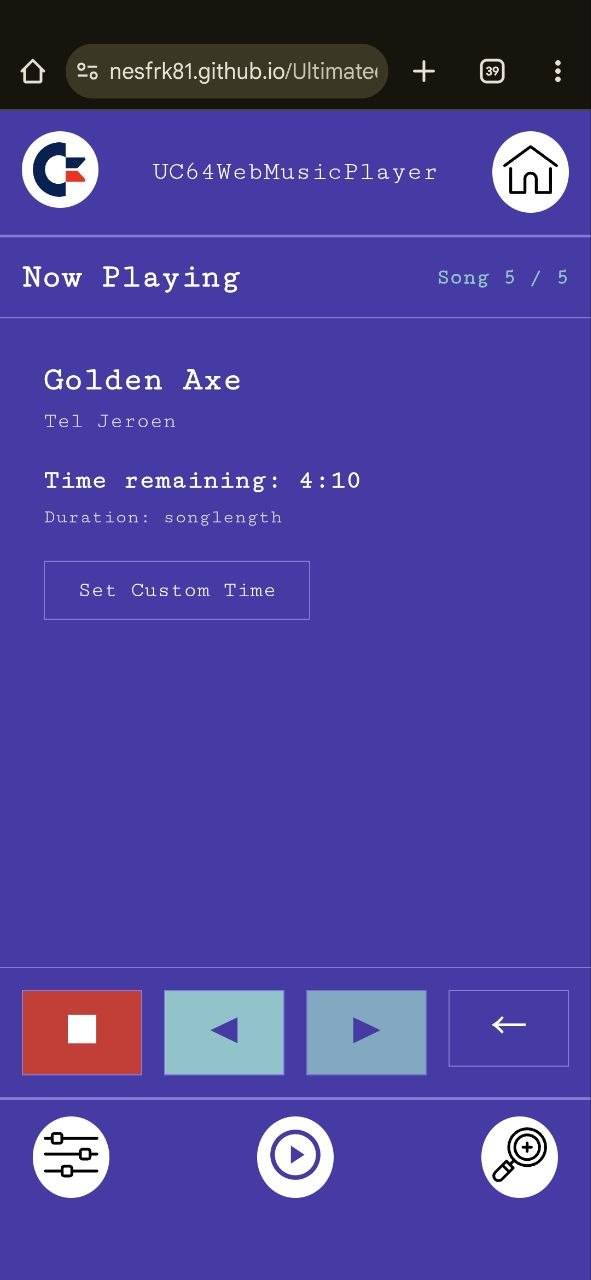
 - Use any device with a web browser to play your favorite SID songs at home. Designed to be used with your mobile phone to have an easy way to control the music that is coming out of your C64 or C64U.
 - Ultimate64 SID Player (Amiga) - Ultimate64 SID Player is a full-featured C64 SID music player for AmigaOS that connects to Ultimate64 and Ultimate-II devices over the network. It provides playlist management, multi-subsong navigation, and integrates with the HVSC song length database for accurate playback timing.
Graphics
- ALBERT - Win/Mac/Linux application to create C64 graphics, it can send its images to your Ultimate device, save them as .PRG and other formats. ALBERT allows its users to create Commodore 64 images that extend into the left and right borders of the visible screen, with sprites to display the extra pixels, using an uncomplicated drawing workflow, without requiring the assistance of a coder.
While you are in the Ultimate menu
C64U standard keys
| Key | Result |
|---|---|
| F1 | Tool Menu |
| F2 | Advanced menu |
| F3 | Page Up |
| F4 | System information |
| F5 | Page down |
| F6 | Online file search |
| F7 | Help |
| F8 | Close Ultimate menu |
| RUN/STOP | Exit menu |
WiFi setup/password special characters
| Key/Hotkey | Result |
|---|---|
Shift + | { |
Shift - | } |
Shift £ | _ |
Shift ← | ~ |
Shift ↑ | ^ |
← | ` |
↑ | | |
USEFUL TIPS:
It is assumed that you will already have opened the Ultimate menu.
- Hit
F1, select 'power and reset' → 'Power OFF' to shut down the C64 with the keyboard instead of holding down the power button for 4 seconds. - Hit
C= + Jto quickly swap joystick ports around (port 1 ⇔ port 2) without unplugging your joystick. - To get past the display bug in selecting an Authentication Method within the WiFi Network Setup, you will need to change the Color Scheme to 'Commodore 1' within the User Interface section.
- Did you change your screen mode to a mode that your monitor can't handle? Turn off your device and hold
C= + Nto start in NTSC mode, orC= + Pto start in PAL mode. - You can navigate the Ultimate menu by using the WASD keys, but a joystick works too!