Table of Contents
Stuff to be added to the wiki:
This page is a work in progress, and the contents are NOT yet ready to go live. Once ready, these contents will be moved away from this page to the appropriate location(s) on this wiki
TODO AND THOUGHTS
My TODO list
- Get list of found projects sorted and categorized - Table is gone. List instead.
PROJECTS FOUND DURING A GITHUB EXPEDITION
NOTE 1: The only info here is project name, URL, and short description
        from search results. Checking for duplicates, filtering, and sorting
        will happen later.
NOTE 2: This list will hopefully become part of the renewed software section.
Software NOT specifically for Ultimate devices
(…but that still benefit from its features)
Music
- SID-Wizard 1.97 - SID tracker for Commodore 64/128 as well as for Windows, MacOS, and Linux. Create music for up to 4 SID chips (real, or virtual). Includes a large instrument library, example tracks, MIDI, and a piano roll view.
Graphical User Interface
- C64OS
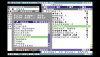 - C64OS is a versatile operating system for the Commodore 64 that provides a set of sophisticated tools in a powerful and unified user interface.

- GUI64
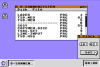 - A Windows/Mac looking GUI, utilizes Ultimate functions when used in an Ultimate device.

- GEOS
 – is included in “The Very Second” USB cassette that comes with the C64U. See also the ‘files’ section of the FB-group The Commodore 64 Ultimate Owners Group

- GDOS64
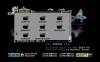 - A free GEOS-compatible operating system for the Commodore 64. Supports more hardware out of the box, like CMD devices, SD2IEC, 4 drives, and don't forget the facelift that the GUI has had!

Graphics
* GoDot64 - GoDot64 is a comprehensive, can-do-it-all image manipulation suite with loaders and savers for a huge number of image formats (including PC and Mac formats), filters, and much more.
Where to Buy a replacement SID
This list is not intended to be complete. Some SIDs can be purchased from a large number of stores. The purpose of this list is to provide a starting point. A smart shopper will compare prices and fees before purchase.
- SIDkick
- SIDkick Pico
- ARMSID
- ARM2SID
- FPGASID
- PDsid
- BackSID
- SwinSID
- SwinSID Nano
- SwinSID Ultimate
- X-SID
- Kung Fu SID
- reDIP-SID
- SIDMax
- SIDEmu
Contents of The Very Second Ever USB "Cassette"
Note that there are no concrete plans for this section yet, but it could be used in a variety of ways. It could be just a reference list, or the software titles could get their own page, or not…
.
├── BBS
│   ├── CCGMS Ultimate
│   └── UltimateTerm
├── DEMOS
│   ├── 1337
│   ├── 20 Years Onslaught
│   ├── A.I. LOVE YOU
│   ├── Bad Apple 64
│   ├── Barry Boomer Trapped Again
│   ├── BluREU
│   ├── Comaland
│   ├── Coma Light 13
│   ├── Commodore Christmas Demo
│   ├── Concert
│   ├── Cosmail
│   ├── Cubic Dream
│   ├── Dawnfall
│   ├── Desert Dream
│   ├── E2IRA
│   ├── Edge of Disgrace
│   ├── Expand
│   ├── Flash XI
│   ├── Formula Petscii
│   ├── Incoherent Nightmare
│   ├── It's More Fun to Compute
│   ├── JustinBlue
│   ├── La Linea 85%
│   ├── Lunatico
│   ├── Marc's Movements
│   ├── Mathematica
│   ├── Memento Mori
│   ├── Mentallic
│   ├── Mojo
│   ├── Multiverse
│   ├── Neon
│   ├── Next Level
│   ├── Nightfall
│   ├── Nine
│   ├── Nothing but PETSCII
│   ├── Old Men in Used Cars
│   ├── One-Der
│   ├── Parallax Tribute
│   ├── Raster Split Fun
│   ├── Seal of Focalor
│   ├── Snapshot
│   ├── Soiled Legacy
│   ├── Soul on Fire
│   ├── The Last Truckstop 3
│   ├── The Shores of Reflection
│   ├── The Violators
│   ├── The X-File
│   ├── Tower Power 92%
│   ├── Ultiverzum
│   ├── Unboxed
│   ├── Unsound Minds
│   ├── What Is The Matrix 2
│   └── Wonderland XIV
├── EXCLUSIVE
│   ├── Commodore 64 SID Tribute
│   ├── GoatBeat - SID Legends I
│   ├── JollyDisk
│   └── Jupiter Lander II
├── GAMES
│   ├── NTSC & PAL
│   │   ├── Amaurote
│   │   ├── Aviator Arcade I+II
│   │   ├── Bomberland
│   │   ├── Bruce Lee - Return of Fury
│   │   ├── C64anabalt
│   │   ├── Green Felt Classics
│   │   ├── Hunchback
│   │   ├── Lester
│   │   ├── Lost Realms of Murkasada
│   │   ├── Lykia - The Lost Island
│   │   ├── Misfortune
│   │   ├── Outrage
│   │   ├── Redrunner - Greenrunner
│   │   ├── Rescuing Orc
│   │   ├── Robot Jet Action
│   │   ├── Spaceman Splorf
│   │   ├── Space Moguls
│   │   ├── Space Station 23
│   │   ├── Star Storm
│   │   ├── Super Bread Box
│   │   ├── The Adventure Series
│   │   ├── The Bear Essentials
│   │   ├── Tiger Claw
│   │   ├── Timo's Castle
│   │   ├── Tiny Harvest
│   │   ├── Wolfling
│   │   └── YOOMP! 64
│   └── PAL
│       ├── Acid Runner
│       ├── Balls like a Frog
│       ├── Fred's In Troubles
│       ├── Into Hinterland World
│       ├── Leilei Relay
│       ├── Lions of the Universe
│       ├── LuftrauserZ
│       ├── Metal Warrior 4
│       ├── Miecze Valdgira II
│       ├── Sceptre of Baghdad
│       ├── Scramble Infinity
│       ├── Shaman
│       └── Way Of The Exploding Fist
├── GEOS Boot Disk.d64
├── GEOS information.txt
├── GEOS Swap Disks
│   ├── GEOCalc.d64
│   ├── GEOFile.d64
│   ├── GEOGif.d64
│   ├── GEOPaint.d64
│   ├── GEOPublish-a.d64
│   ├── GEOPublish-b.d64
│   ├── GEOSDemo.d64
│   ├── GEOSDeskpackA.d64
│   ├── GEOSDeskpackB.d64
│   ├── GEOSFonts1.d64
│   ├── GEOSFonts2.d64
│   ├── GEOSFonts3.d64
│   ├── GEOSFonts4.d64
│   ├── GEOSpell.d64
│   ├── GEOWrite.d64
│   └── GEOWrite_REU.d81
├── GUI64 information.txt
├── GUI64 [NTSC].crt
├── GUI64 [PAL].crt
└── MUSIC
    ├── Bonzilloscope
    ├── C64 Grand Tour Challenge
    ├── CyberChip
    ├── Echofied 6581
    ├── MultiSID
    │   ├── 2SID
    │   ├── 3SID
    │   ├── 4SID
    │   ├── Machine Yearning
    │   └── The Tuneful Eight
    ├── Patto's Music Collection
    ├── SID Chip Club
    ├── Speed
    └── The Richard Joseph Tribute

232 directories, 653 files